Making Hypeal easier to use for merchants and easier to sell for the team.
Client
Hypeal B.V.
Backed by
ABN AMRO + Techstars '23
Role
Sole UI/UX Designer
Duration
Jun – Sep 2024
Tools
Figma · FigJam
Hypeal is a Shopify loyalty platform backed by ABN AMRO and Techstars '23. I joined as the sole designer right before launch.
The app existed but the merchant setup experience needed serious work: confusing steps, no sense of progress, and a card creation flow that could be cleaner. On top of the product work, the team needed branded card mockups to show potential merchants what their VIP program could look like.
Before changing anything, I looked at how competitors handle this. Smile.io, LoyaltyLion, Rivo, and Joy all had the same issue: too much data, not enough clarity. Simple tasks like creating a loyalty card were buried under dashboards full of charts.
Working with the founding team and their early merchant contacts, three things stood out:
Most Shopify store owners do everything themselves. If your dashboard needs a tutorial, it's already lost them.
Merchants wanted loyalty cards that looked like their own brand, not a third-party plugin.
Several steps in the app were confusing or unnecessary. Users could finish tasks, but not without second-guessing themselves.
Competitive Audit — Setup Flow Patterns
Smile.io
Long wizard-based setup with many configuration screens before merchants see any results
LoyaltyLion
Setup requires heavy configuration and support involvement; no self-serve onboarding path
Rivo
Simpler onboarding but limited customization during setup; merchants must configure later
Joy
Clean interface but setup flow lacks progress indicators or completion state
Gaps identified → Design decisions
No progress indicators
None of the four apps showed merchants how far along they were in setup or what came next
→ Visible stepper with completion statesEverything on one screen
Configuration options competed for attention with no hierarchy or separation between steps
→ Focused single-task screensGeneric welcome screens
First-time merchants landed on dashboards with no orientation or clear starting point
→ Value-oriented onboardingNo platform-native patterns
Setup flows ignored Shopify’s own Polaris conventions that merchants already know
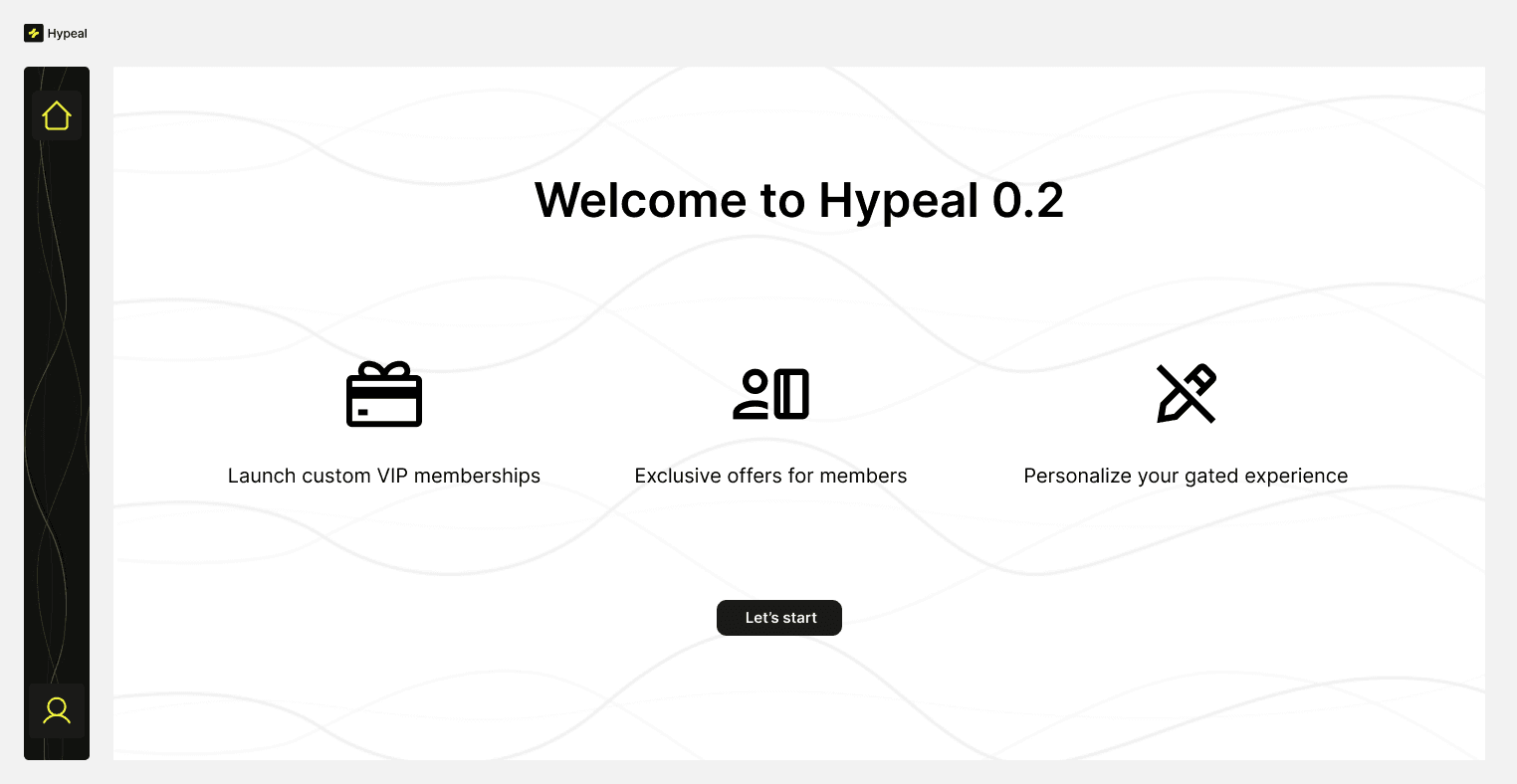
→ Built on Polaris Setup Guide patternThe first thing merchants see. Three clear value props, one “Let's start” button. No confusion about what Hypeal does or where to begin.
Revenue, active members, and a customer table with loyalty tiers. The metrics merchants check first, all in one view.
Redesigned the full setup experience: clear steps, progress tracking, and embedded tutorials that guide merchants through cross-platform tasks.
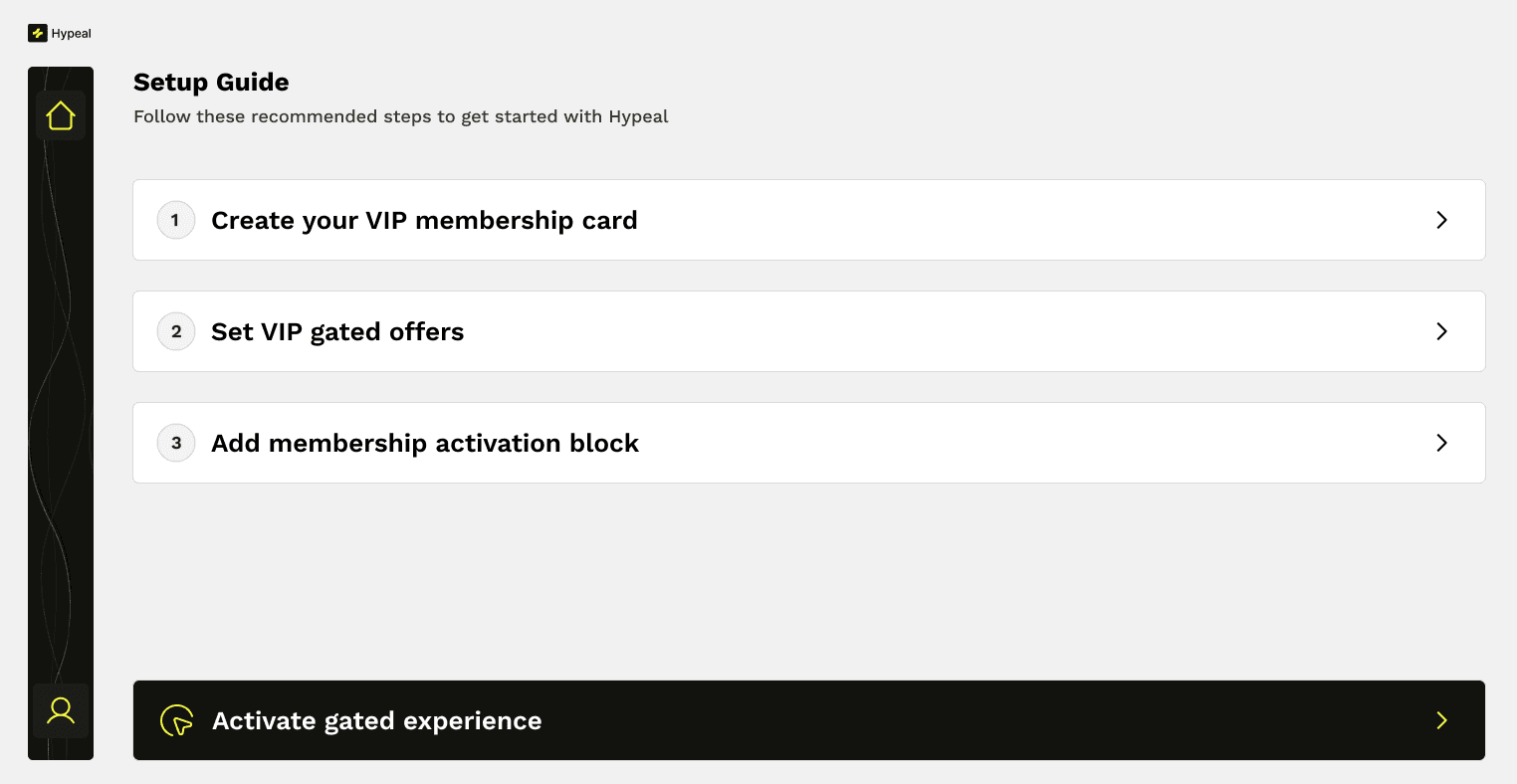
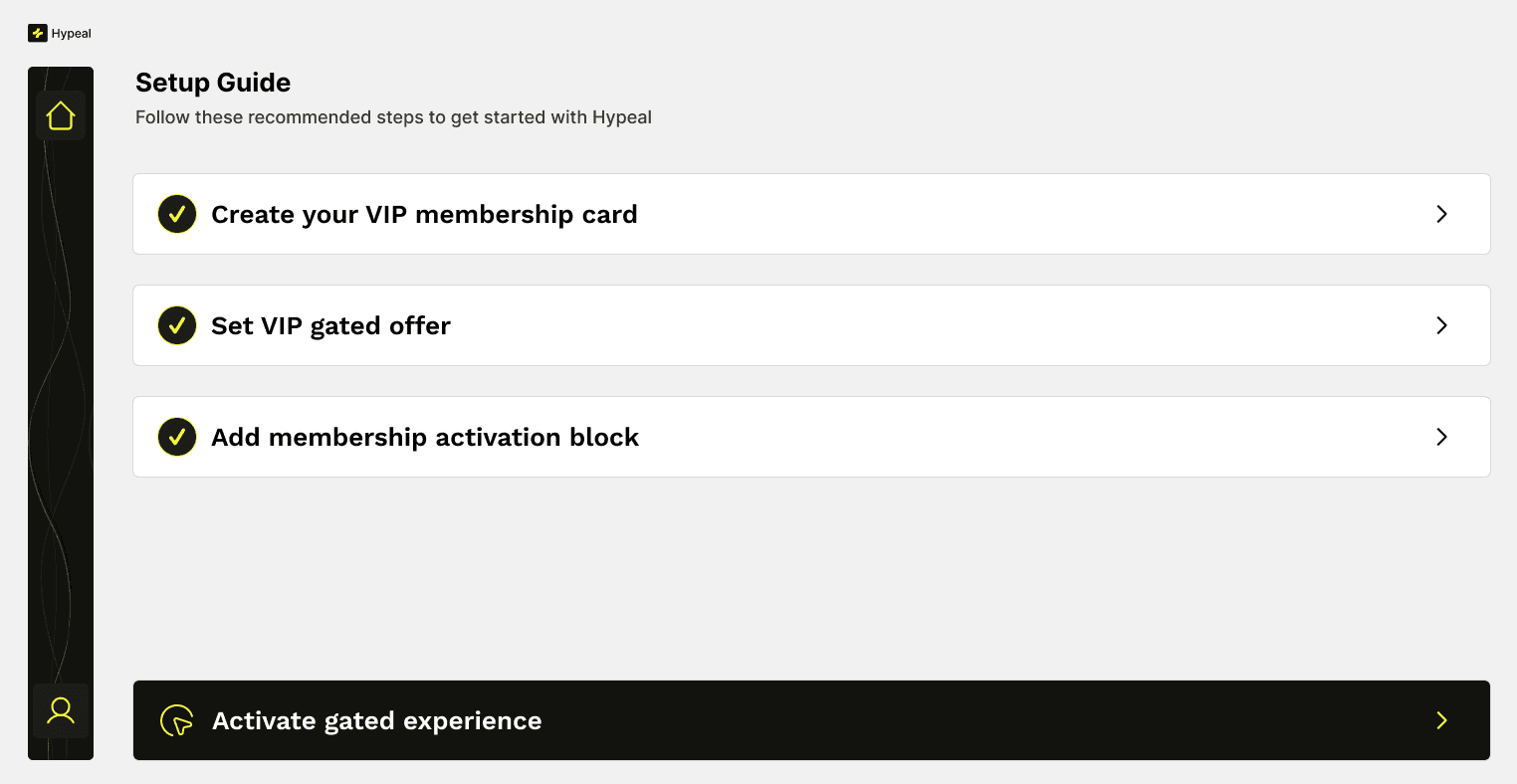
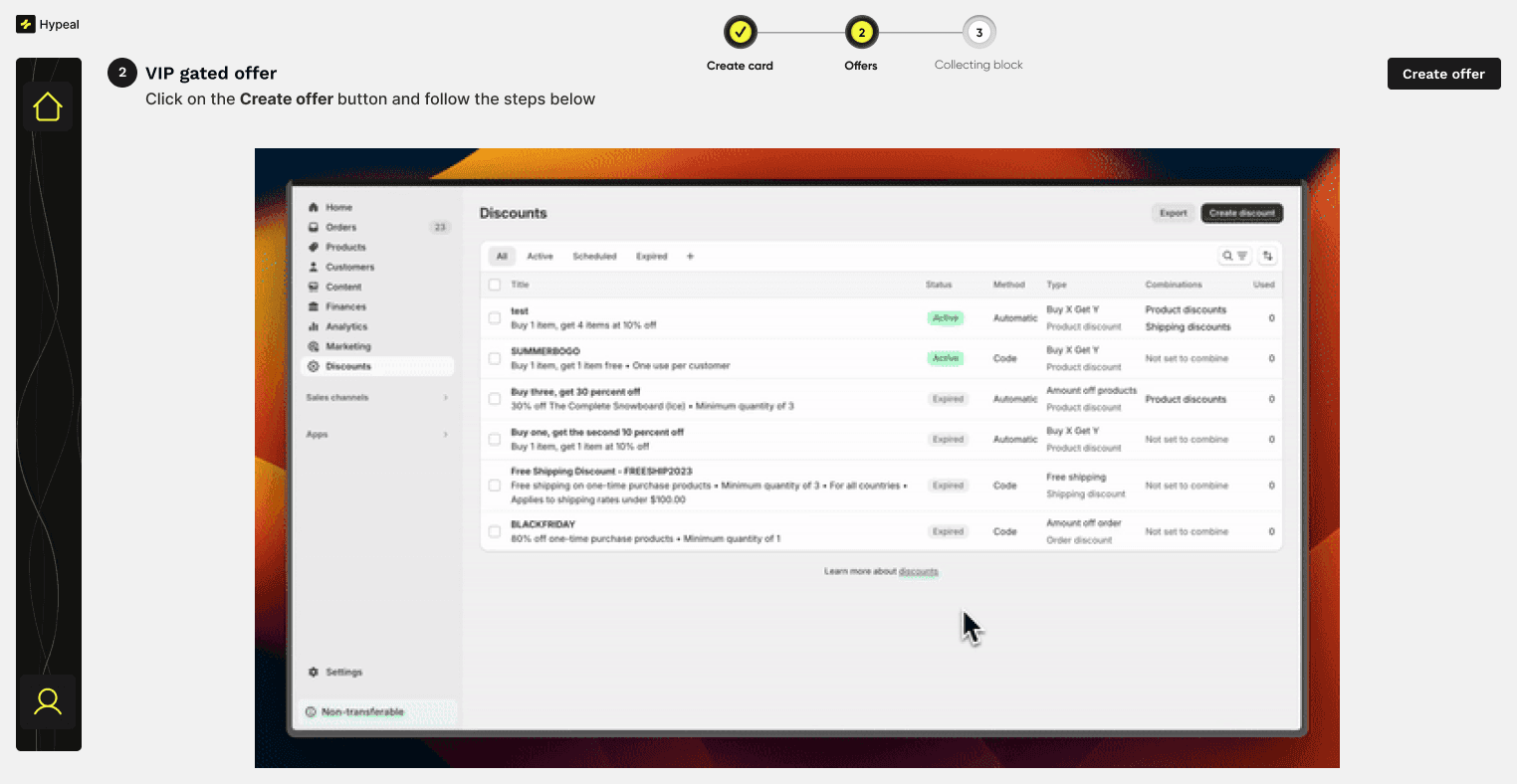
Cleaned up the existing card creation experience, simplifying the interface and making the steps more intuitive for merchants building their first VIP card.
The end-to-end flow from completing setup to going live on a Shopify store.
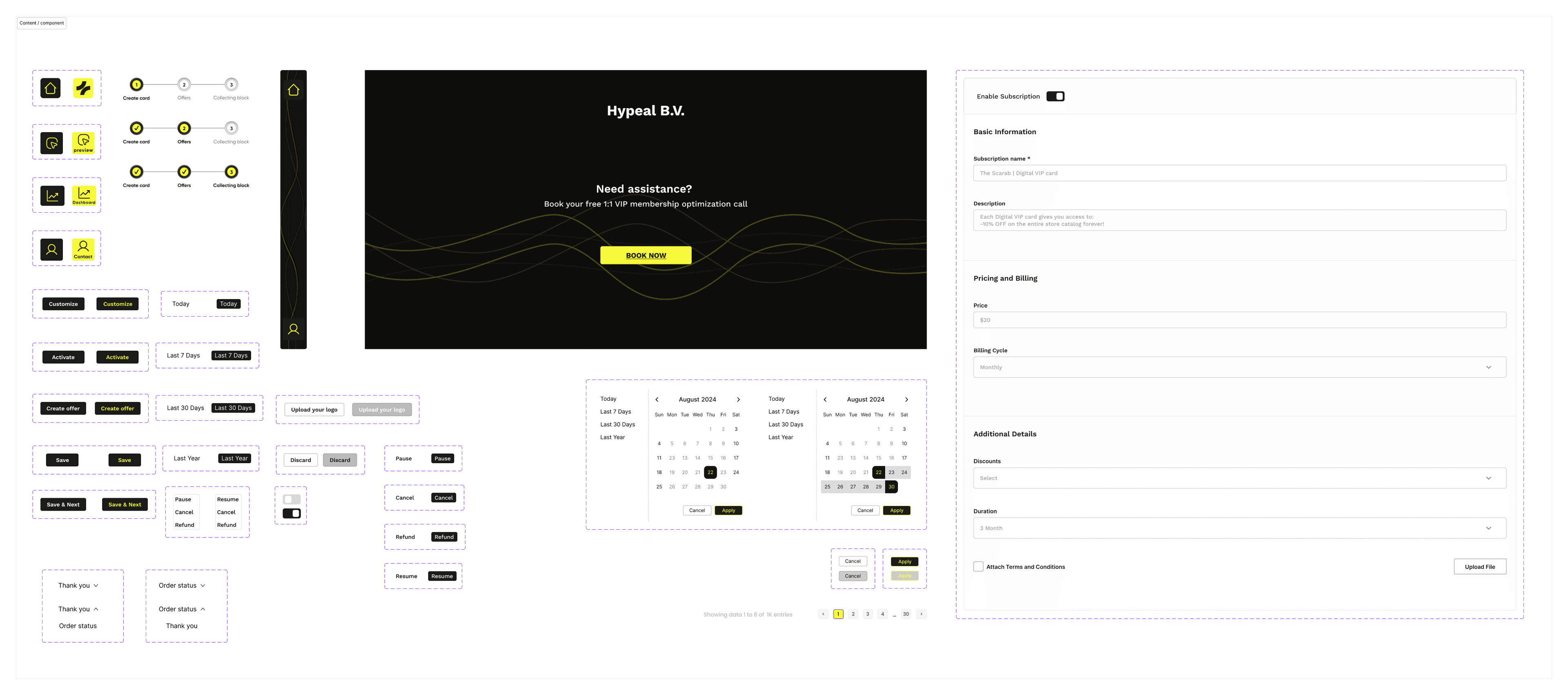
Buttons, steppers, date pickers, forms, toggles, navigation, and pagination. The system that kept everything consistent and gave the dev team a reliable reference for building.
20+
Screens designed for the merchant experience
20
Reusable components built
3 months
Sole designer, startup speed
“You get what we want fast”
— Stakeholder feedback
No wireframe rounds. No formal user testing. Stakeholder feedback straight to design, then ship. That's the reality when you're the only designer at a startup preparing to launch.
If I did this again, I'd add merchant usability testing and setup flow analytics from day one.