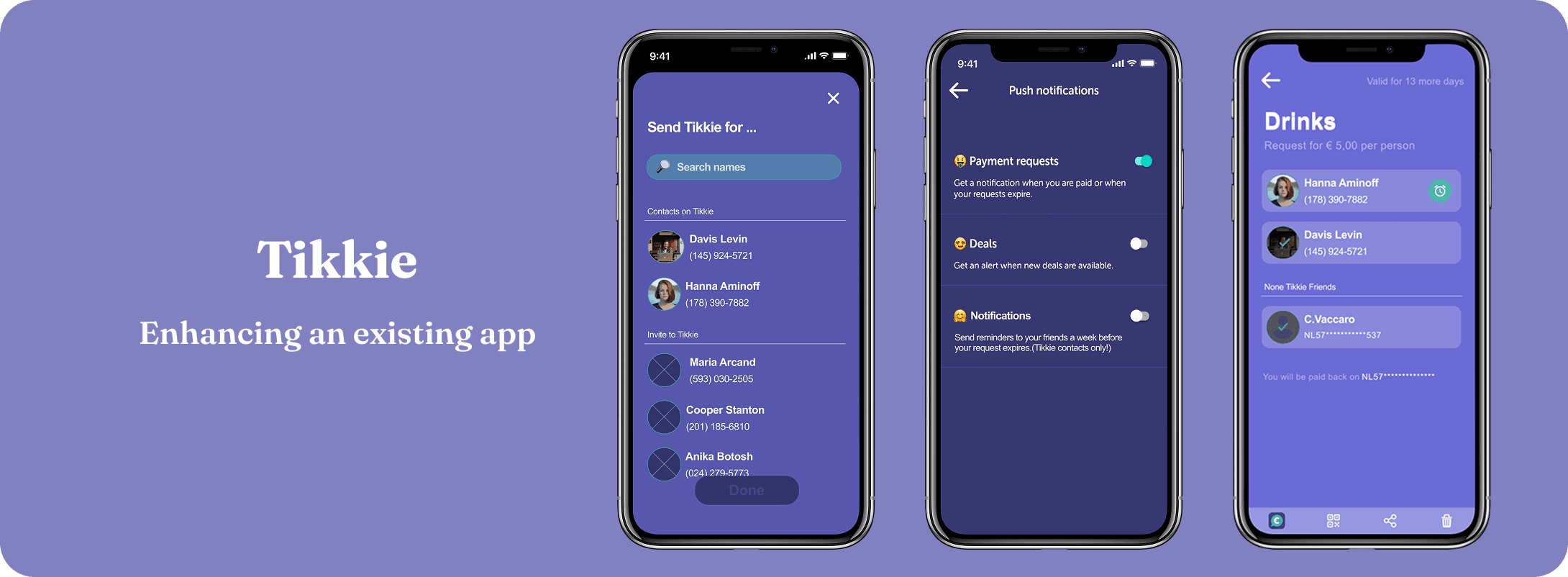
Exploring how to eliminate the awkwardness and friction of requesting money from friends through intuitive flows and smart payment reminders.
Project type
Redesign Concept
Focus
FinTech · Mobile UX
Role
End-to-end Design
Duration
3 weeks
Tools
Figma · FigJam
Peer-to-peer payment apps have revolutionized how we transfer money, but requesting money remains awkward. Whether splitting a dinner bill, sharing rent, or collecting for a group gift, the experience often involves social friction (feeling pushy), technical friction (switching between apps), and forgotten payments that quietly erode friendships.
This project reimagines Tikkie's payment request experience, exploring how the Netherlands' most popular P2P payment app could reduce social friction and ensure no request goes forgotten. It was an opportunity to apply my fintech UX experience from Hypeal to a consumer-facing product used by millions of Dutch users.
I started with a user survey of 25 participants to understand satisfaction levels with Tikkie. The results showed a 92% satisfaction rate, which initially seemed positive but revealed that broad surveys miss the nuances of actual payment behavior. The real insights came from digging deeper.
“Have you ever encountered any issues while using Tikkie?”
I turned to secondary research, exploring Reddit threads and online communities where users discussed real frustrations with payment apps. Key patterns emerged: users often forgot to complete payments, found the request flow cumbersome, and wanted faster ways to split expenses among groups.
Competitive analysis of Venmo, Zelle, and Cash App helped me understand what features these apps offer, how they approach usability, and what users expect from a modern payment experience. These insights gave me a solid foundation for designing features that align with industry standards.
How might we...
“How might we enhance memory triggers and simplify the payment flow so that requests feel friendly rather than demanding, and no payment goes forgotten?”
From my research, I identified three key concepts to explore: an in-app contact list for quick payment requests, smart reminders to prompt timely payments, and flexible split options (even-split and variable amounts) for group payments.
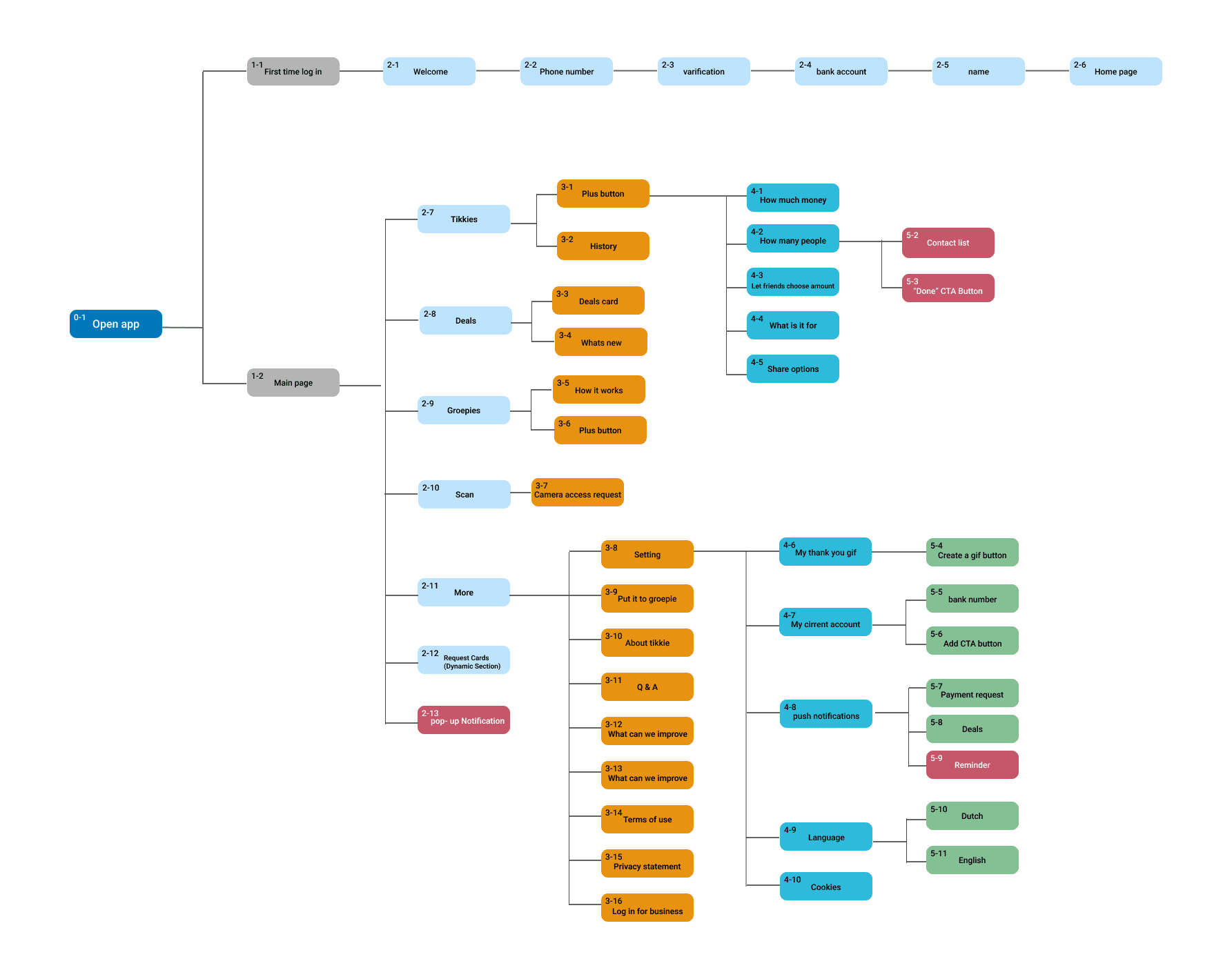
To understand Tikkie's existing structure, I created a site map to see how everything connects. This helped me find the right spots to integrate new features, like the contact list and reminders, without disrupting the app's existing flow.
I then created wireframes to explore how the new features would look and function in context, mapping task flows and user flows for each key interaction.
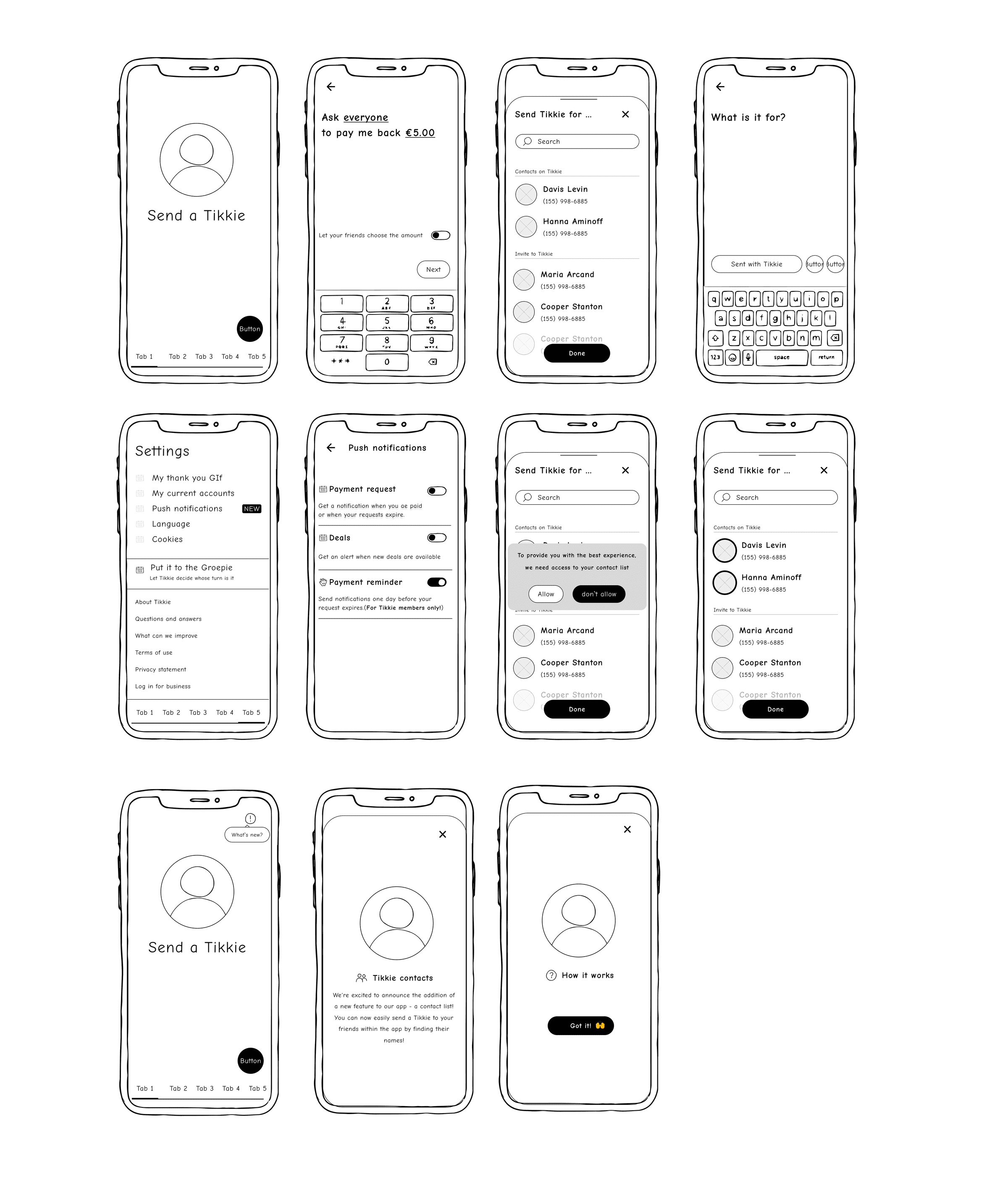
I focused on two key features, brought to life through task flows, user flows, and wireframes: the in-app contact list for quickly connecting with friends for effortless payment requests, and smart reminders, gentle nudges to keep payments on track.
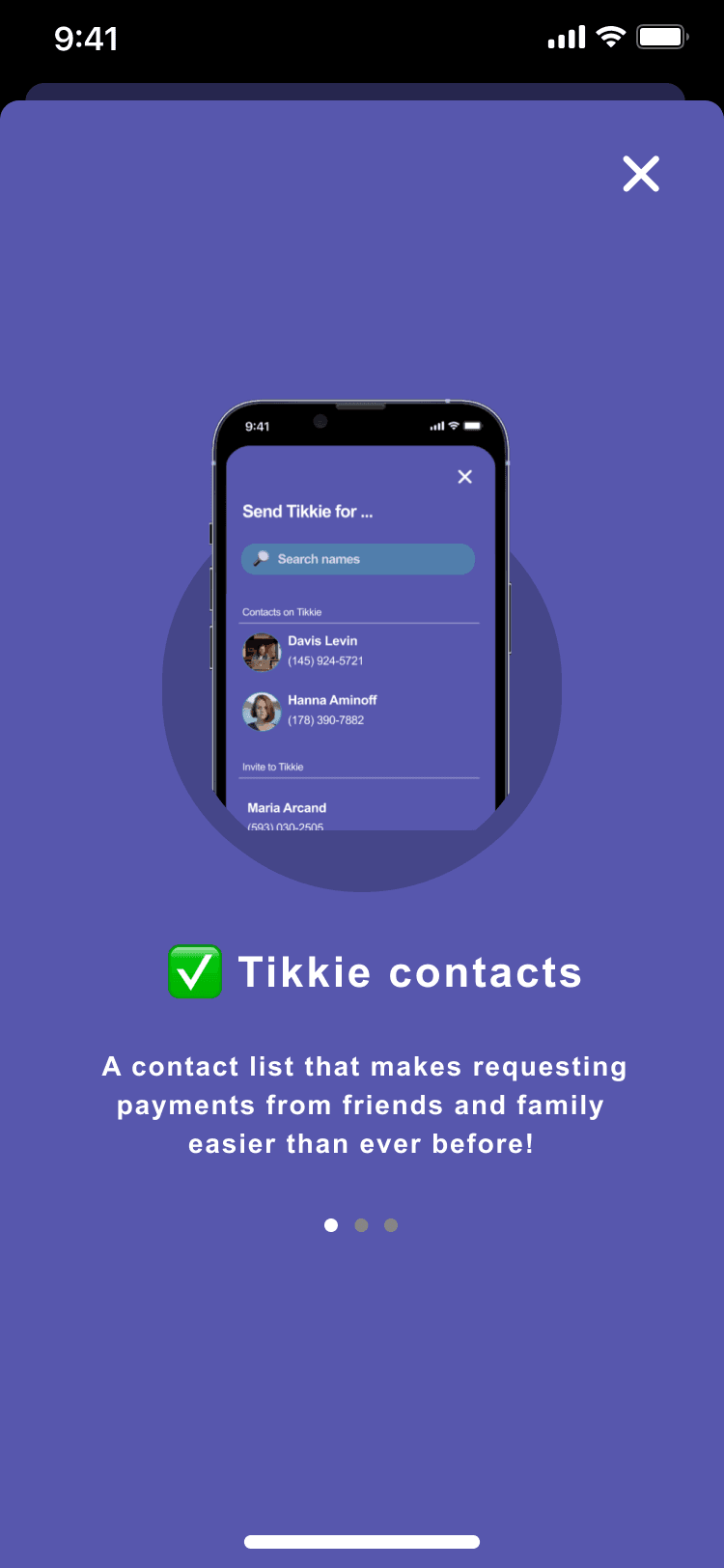
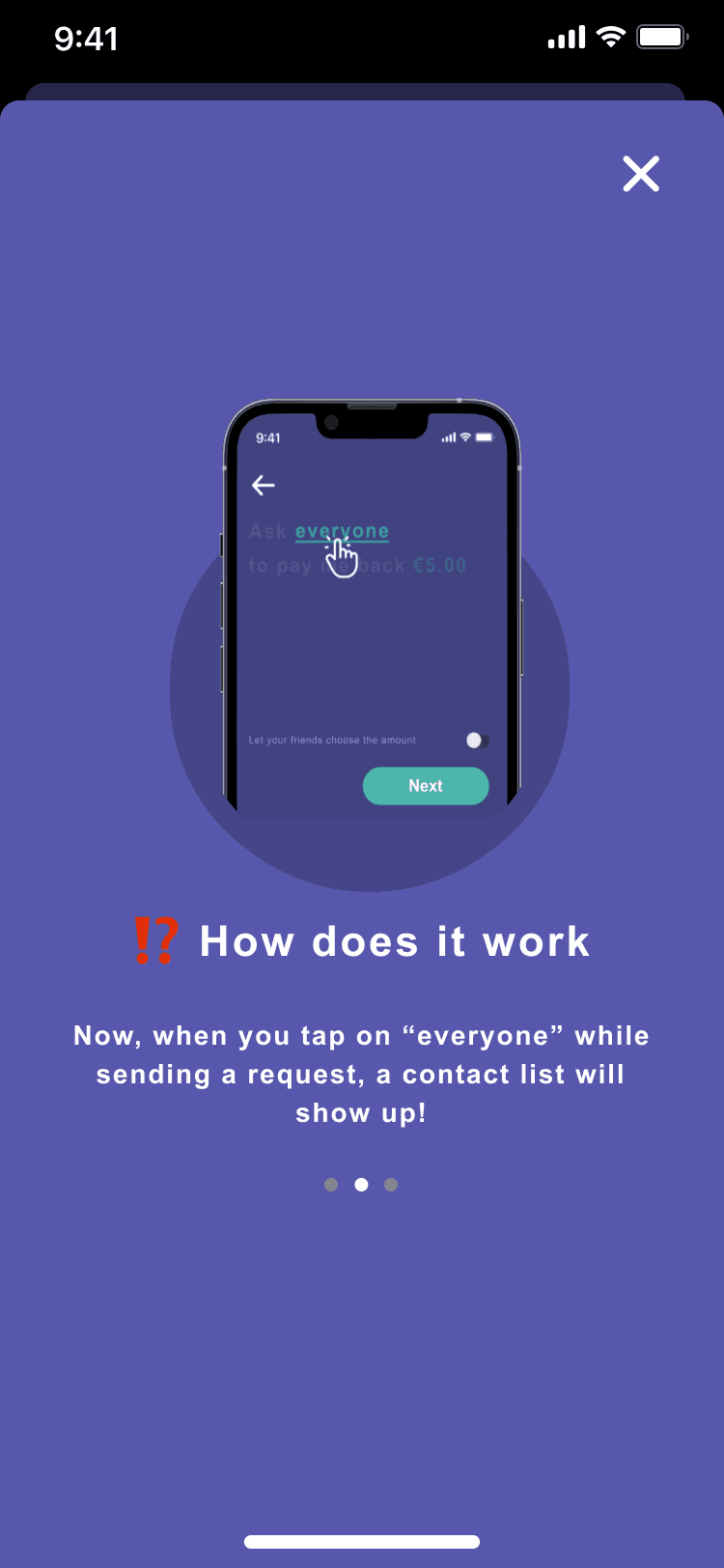
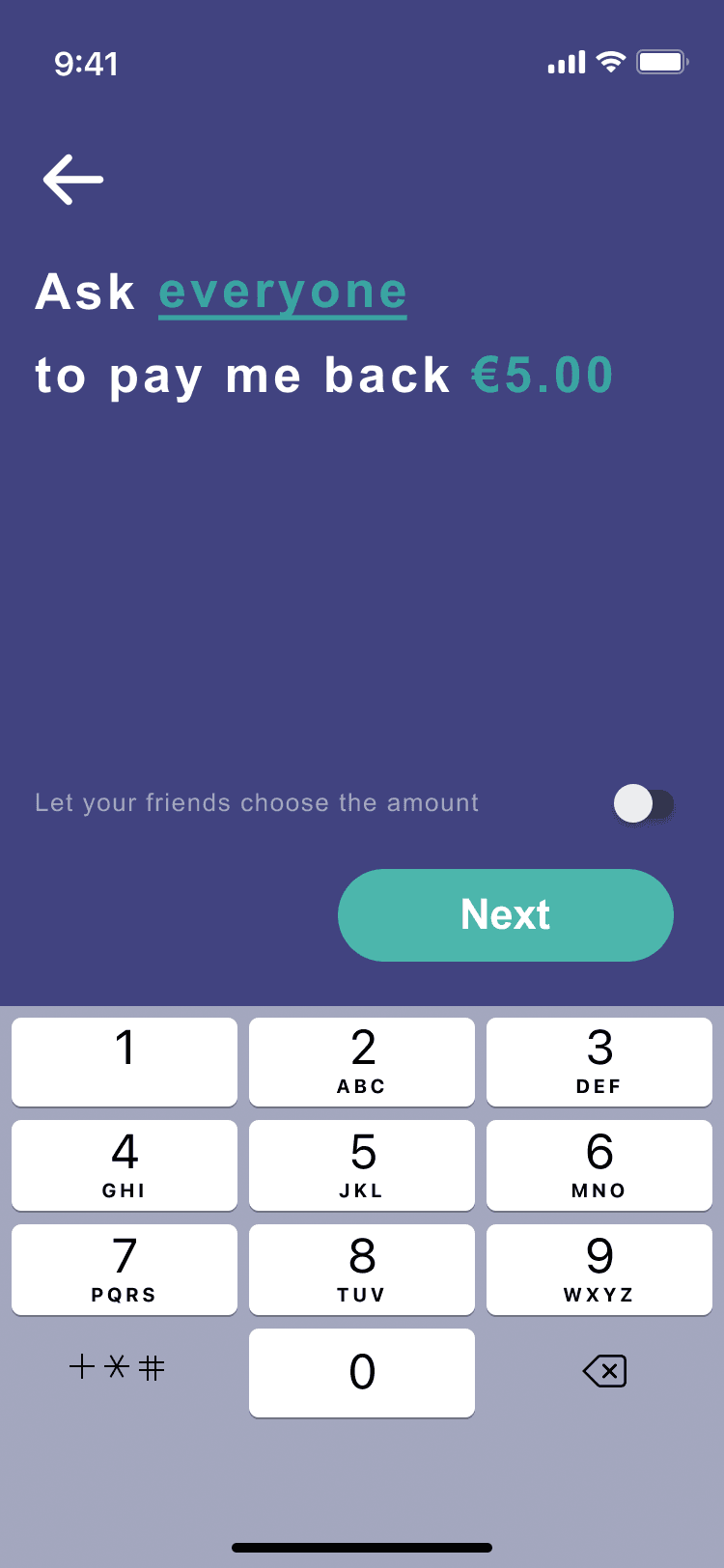
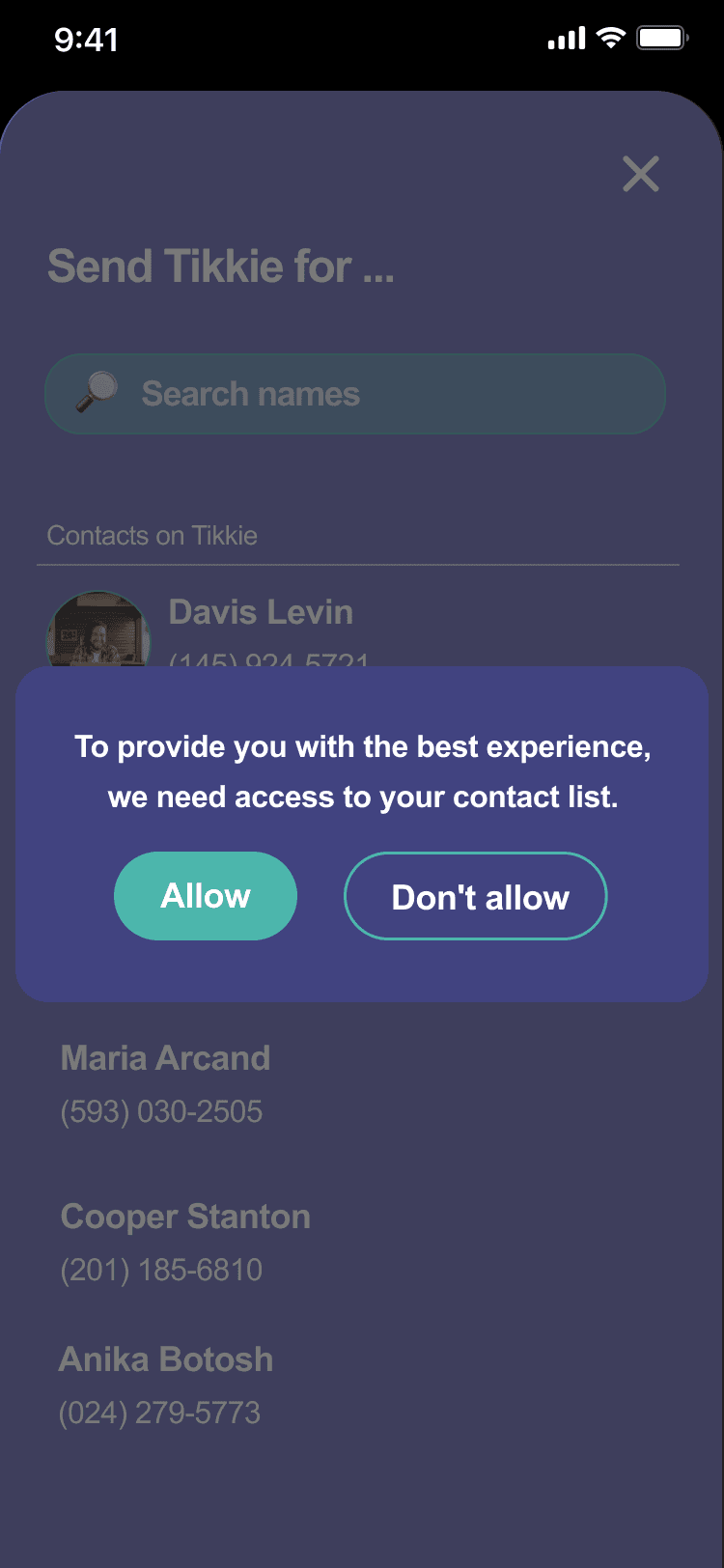
Send payment requests to contacts without leaving Tikkie. Faster, smoother, simpler. Select friends directly from an integrated contact list, set the amount, label the expense, and share in one streamlined flow. No more switching between apps or copying payment links.
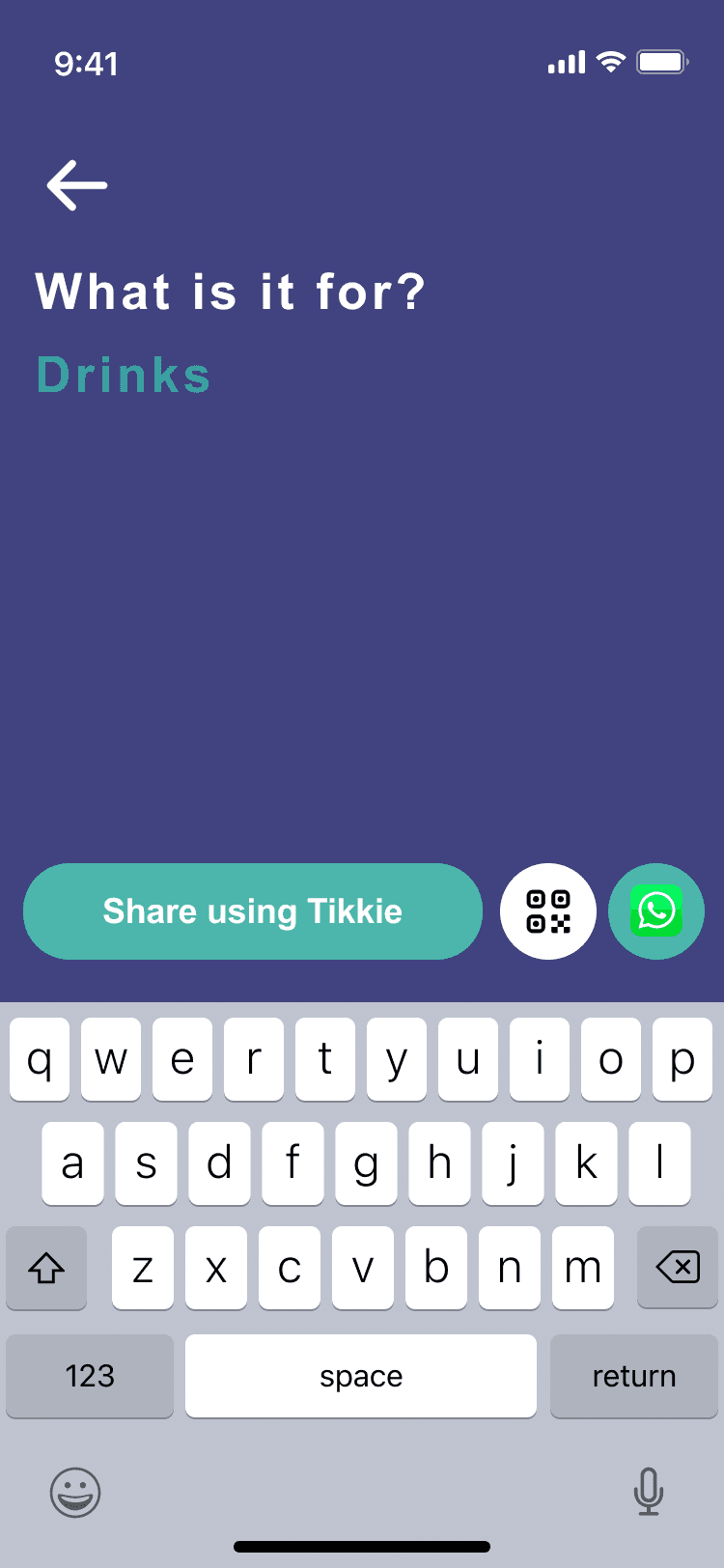
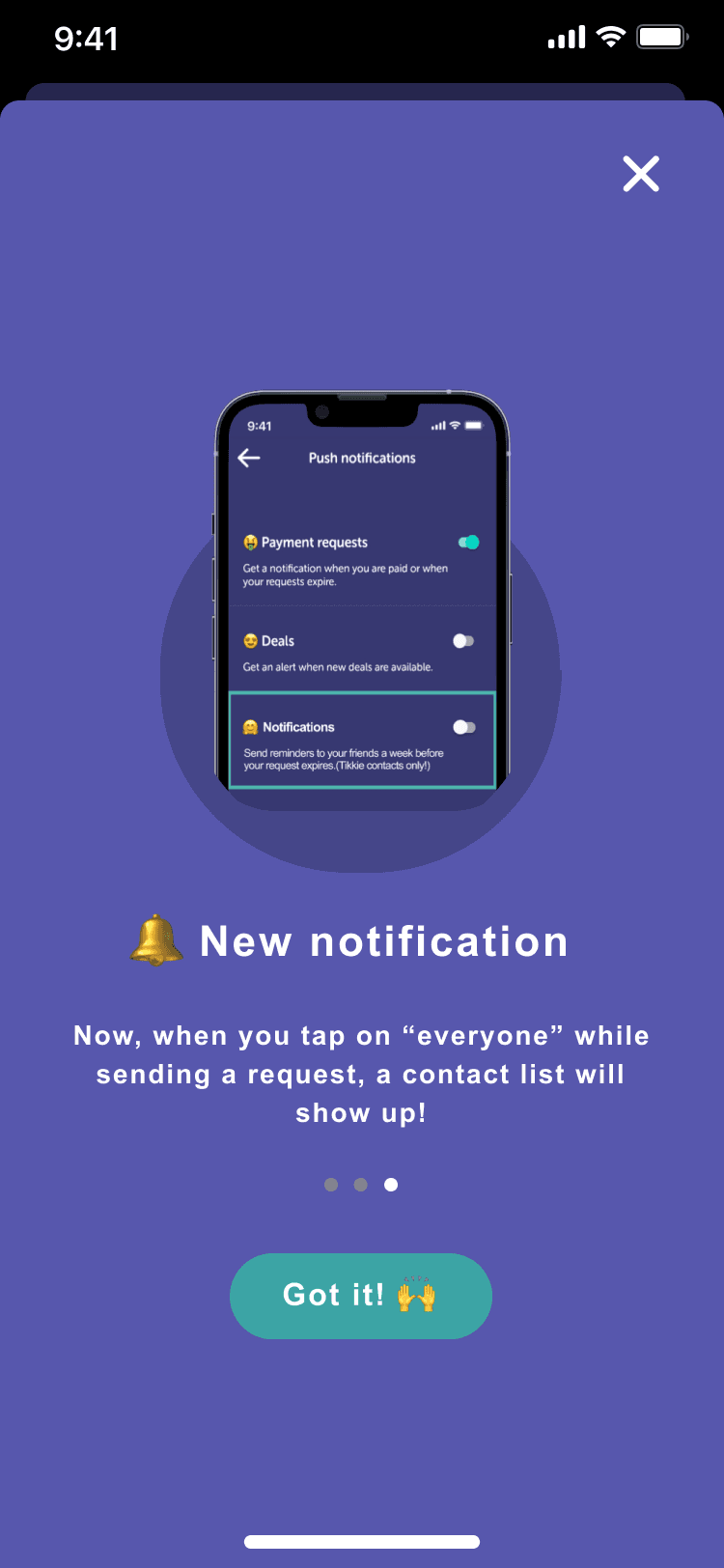
The app sends reminders on a graduated timeline: casual after 24 hours, slightly more visible after 3 days, prominent after a week — all with warm, customizable tone. The requester never has to manually follow up, removing social friction entirely.
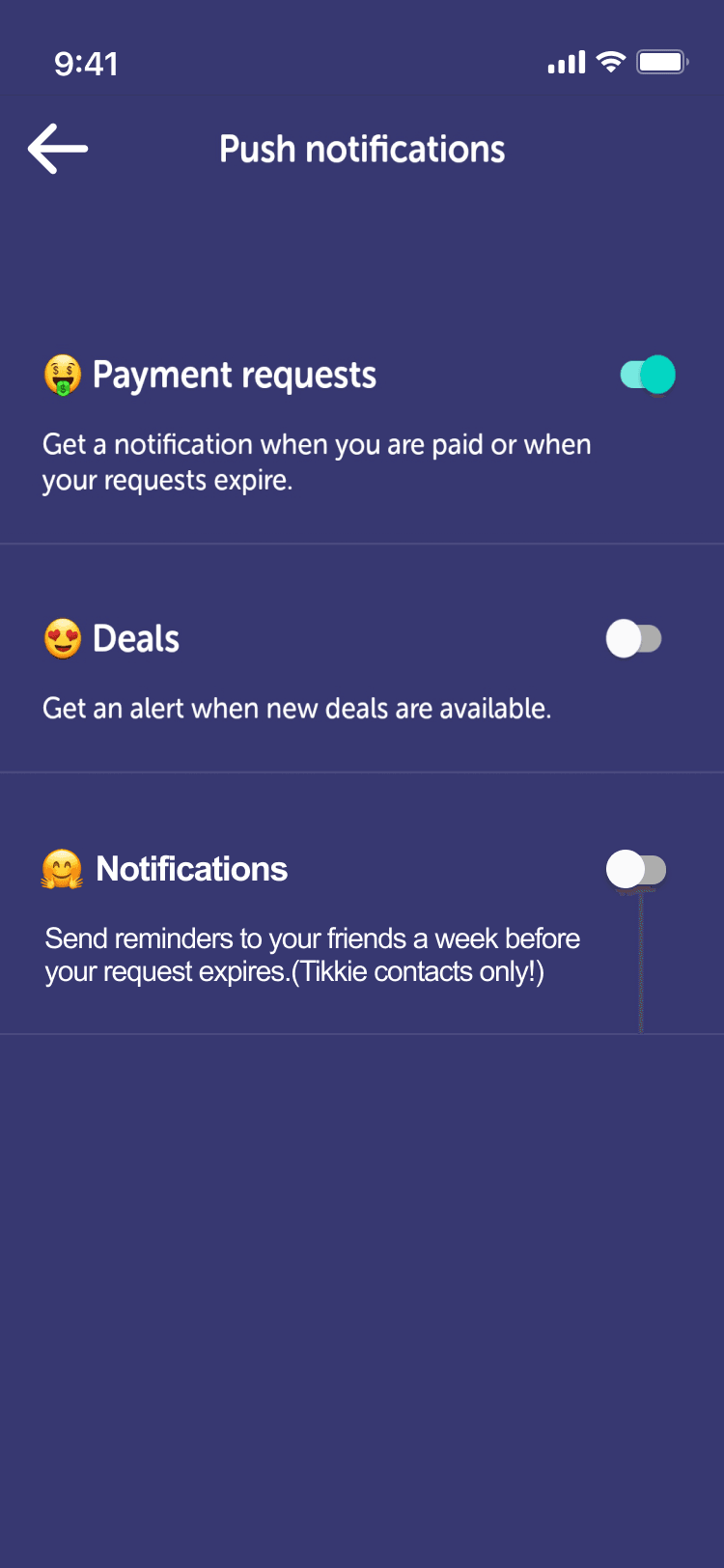
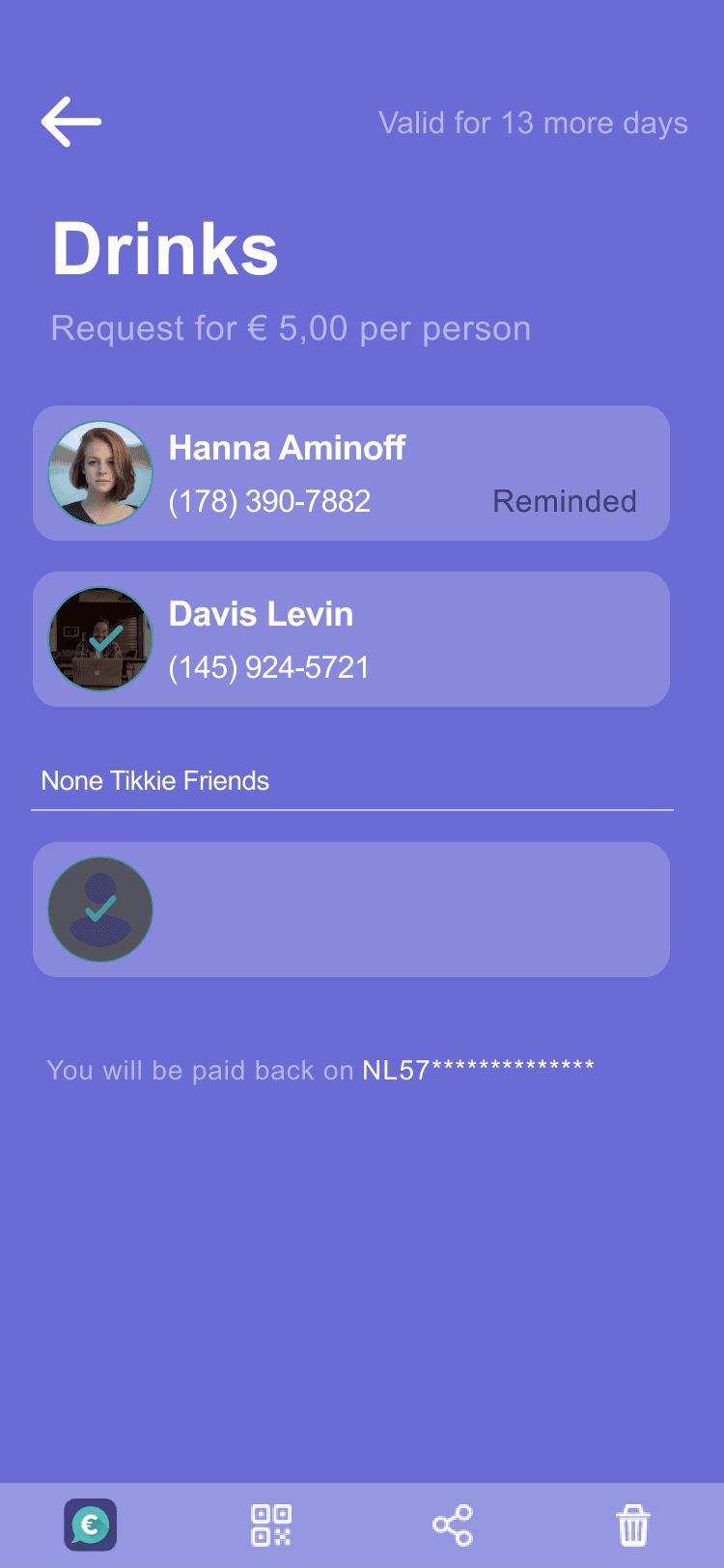
A clear overview of each request showing who has paid and who hasn't — with the ability to send a gentle reminder directly from the detail screen. Users can follow up on unpaid Tikkies without extra steps, keeping the process friendly and low-friction.
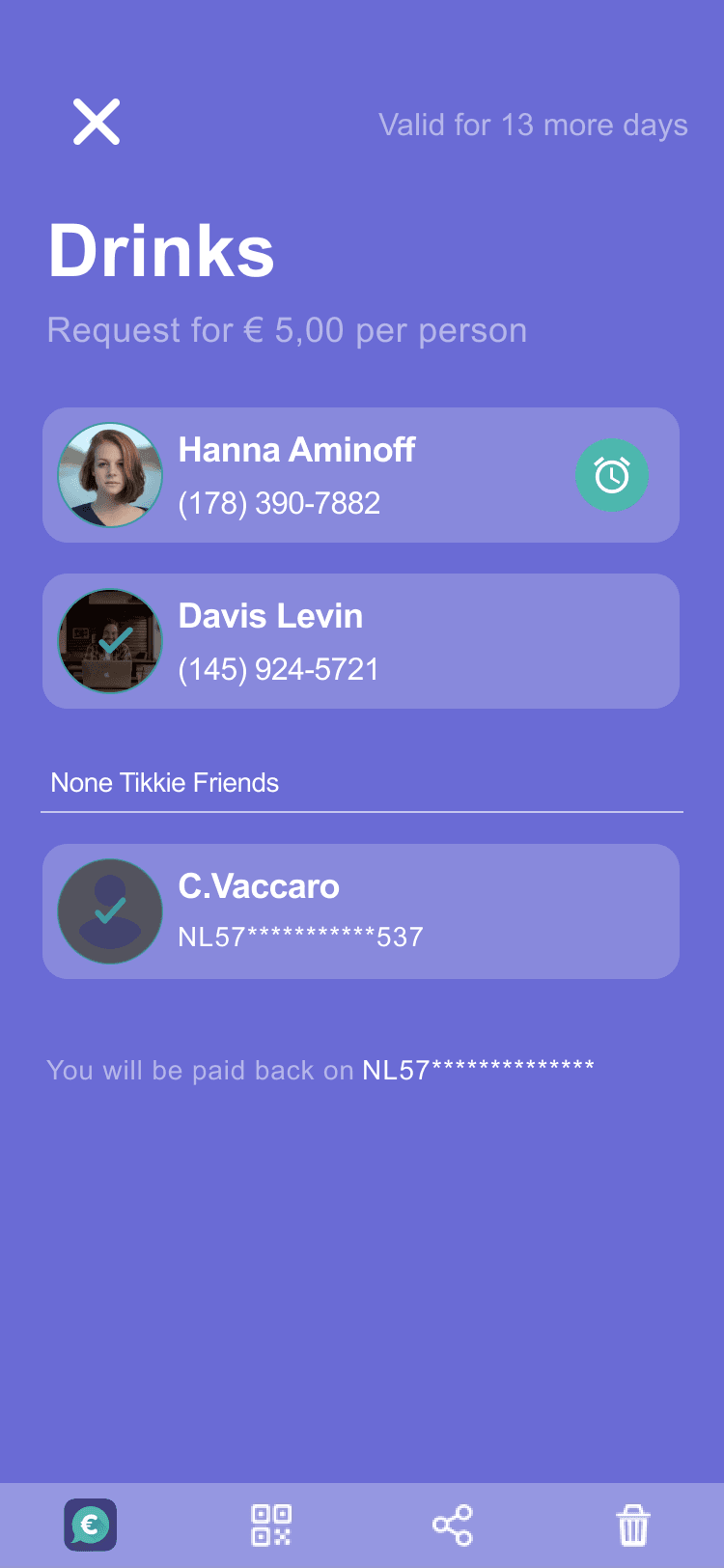
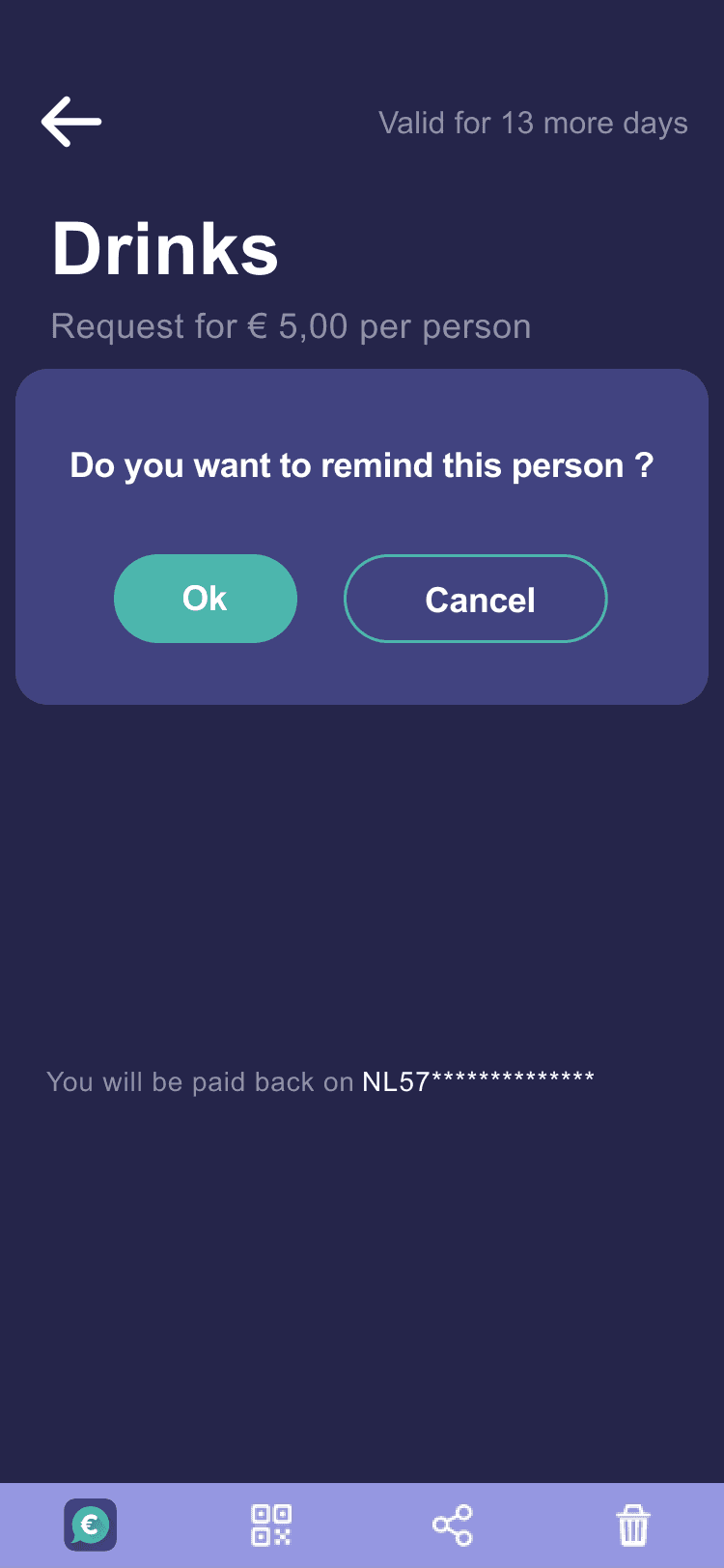
I conducted two rounds of usability testing with the high-fidelity prototype, each focused on a different aspect of the design.
The first round tested whether users noticed and accessed the “What's New” section — a key entry point for the new features. Most participants missed the button entirely, highlighting the need for a more visible introduction to new functionality.
The second round assessed how easily users could complete two key tasks: requesting a Tikkie and setting a reminder. Key finding: after sending a request, users expected a summary screen showing details like the recipient and amount. They also preferred setting a reminder immediately after the request, without returning to the main page first. Both findings were incorporated into the final iteration.
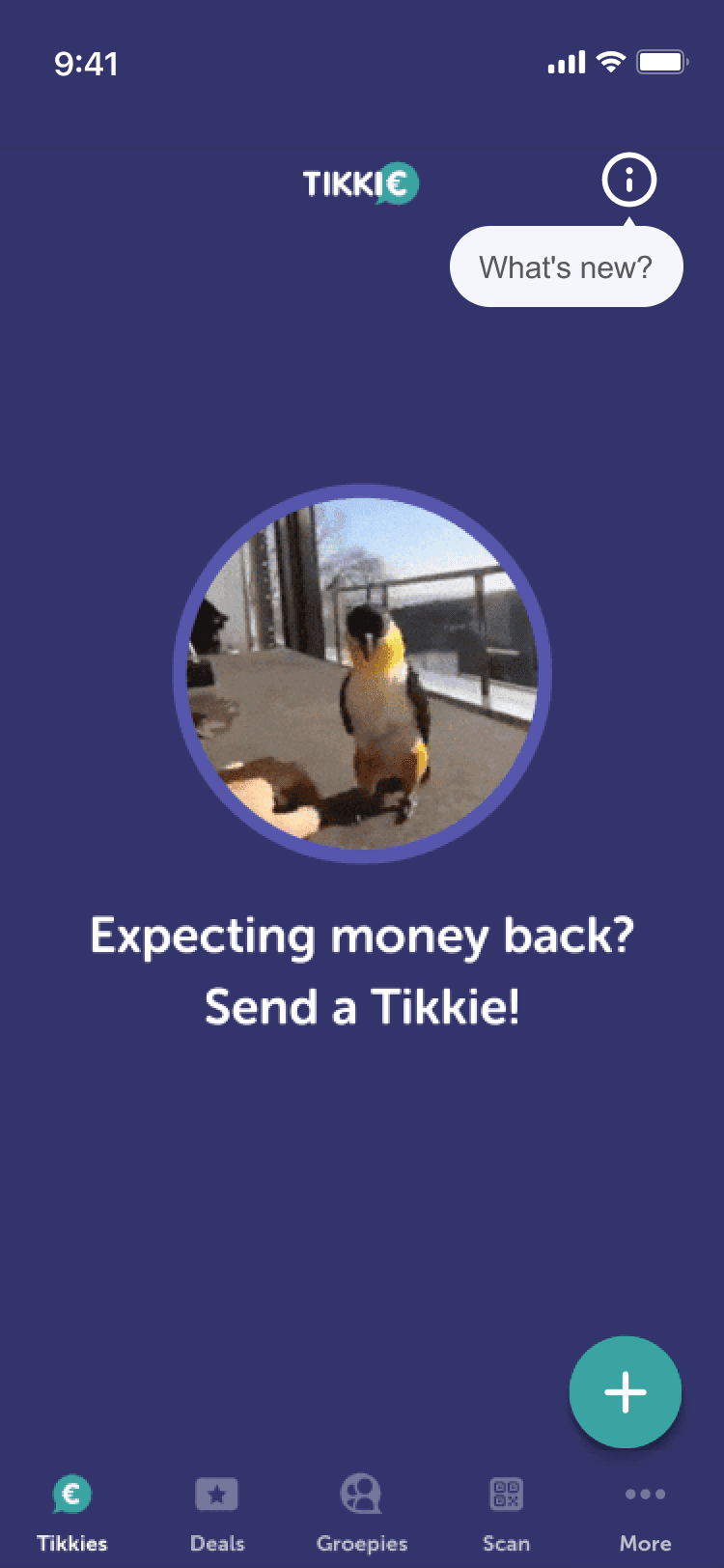 Before
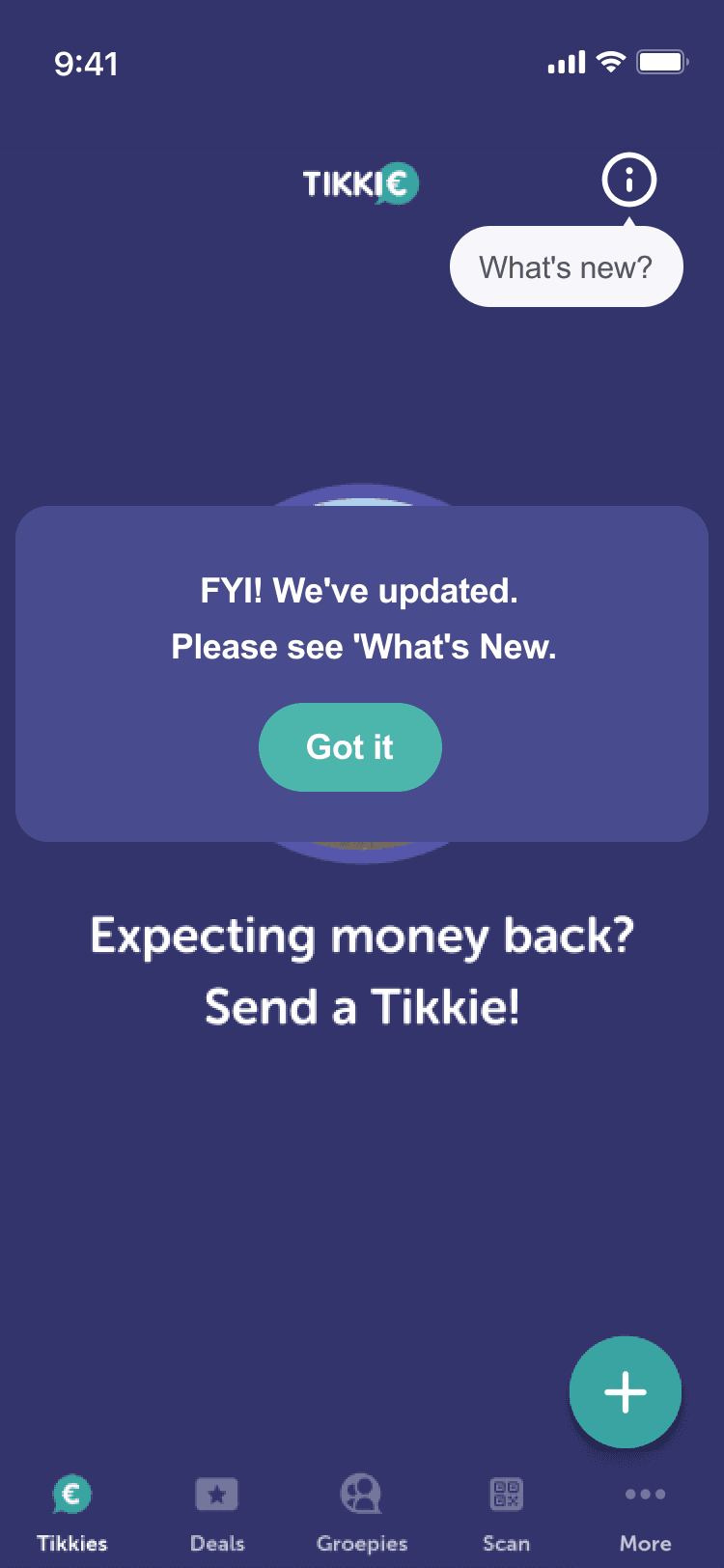 After
AfterThis project taught me that the hardest UX challenges are often social, not technical. The payment technology is simple — the real design challenge is navigating human dynamics around money and making an inherently uncomfortable interaction feel natural.
I also learned that when initial research (like a broad survey) doesn't surface actionable insights, you have to get creative. Secondary research through online communities and Reddit threads revealed the real pain points that shaped the design.